
Adding Alexa Widget to Your Blogger Blog
Adding Alexa widget is not at all hard even for a newbie, because the generated code is very clean and can be understand easily. No let’s add this to your blog.The Mini Alexa (Shows Only Rank)
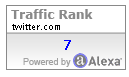
<a href="http://alexa.com/siteinfo/YOUR_Blog.com"><script type="text/javascript" src="http://xslt.alexa.com/site_stats/js/t/a?url=YOUR_Blog.com"></script></a>
Medium Widget (Shows Rank and Backlinks)

This widget also shows you the total no of backlinks to your website/blog.
<a href="http://www.alexa.com/siteinfo/YOUR_Blog.com"><script type="text/javascript" src="http://xslt.alexa.com/site_stats/js/s/a?url=YOUR_Blog.com"></script></a>
Large Widget (Vertical)

Large widget is for those who have a lot of free space on your website. This widget will occupies large widget but it will also leave a strong impression on your visitors.
<a href="http://www.alexa.com/siteinfo/YOUR_Blog.com"><script type="text/javascript" src="http://xslt.alexa.com/site_stats/js/s/b?url=YOUR_Blog.com"></script></a>
Large Widget (Horizontal)

<a href="http://www.alexa.com/siteinfo/YOUR_Blog.com"><script type="text/javascript" src="http://xslt.alexa.com/site_stats/js/s/c?url=YOUR_Blog.com"></script></a>
Add It to Blogger Blog
1. Log in to your Blogger Account.2. Choose the blog in which you want to add this widget.
3. Go to Layouts >> Add a gadget
4. Click on HTML/JavaScript.

5. Now paste your code in code area.

6. That’s all. Click On Save.


